
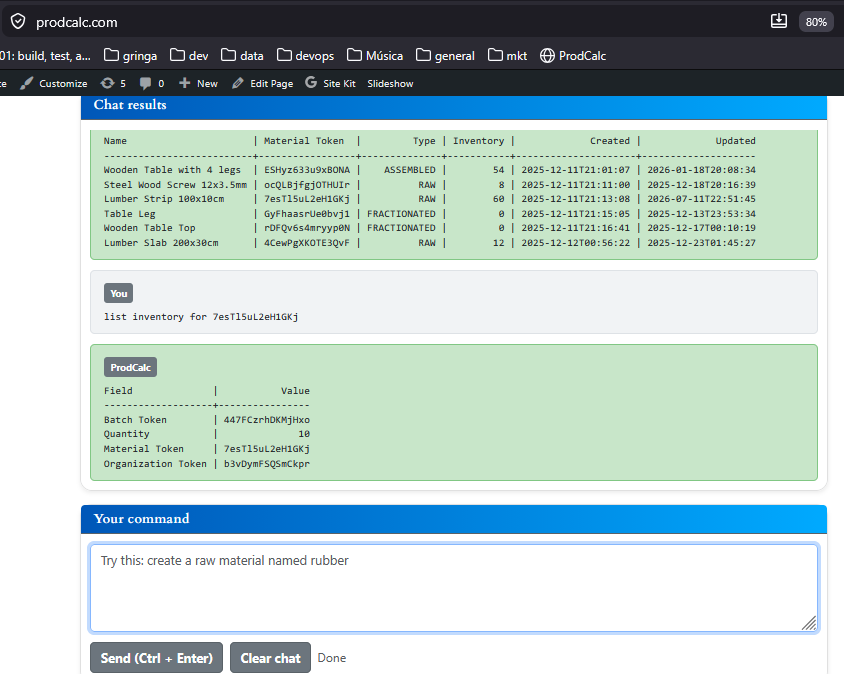
Managing inventory isn’t just about knowing how many units you have. Manufacturers need to know where the inventory came from, where it went, and which production orders or shipments used it.
ProdCalc was designed around this principle.
Every Material Has an Inventory
Every material in ProdCalc automatically has its own inventory.
Examples:
- Steel Sheet 2mm
- Aluminum Profile
- Finished Bicycle Frame
- Blue Paint
Each material stores its own stock independently.
Instead of keeping only a single quantity, ProdCalc organizes inventory into batches.

An Inventory Contains One or More Batches
Every inventory consists of one or more batches.
Each batch contains:
- Current quantity
- Batch code
- Complete movement history
Example:
Material: Steel Sheet 2mm
| Batch | Quantity |
|---|---|
| ST240601 | 500 kg |
| ST240608 | 320 kg |
| ST240615 | 180 kg |
Instead of simply saying the inventory contains 1,000 kg, ProdCalc knows exactly which batches make up that inventory.
Every Batch Has Its Own History
Each batch stores every inventory movement that affected it.
Examples of movements include:
- Manual inventory adjustments
- Supplier receipts
- Customer shipments
- Production consumption
- Production output
This provides complete traceability.
For example:
Batch ST240608
| Date | Movement | Quantity |
|---|---|---|
| Jun 8 | Supplier Receipt | +500 kg |
| Jun 12 | Production Order #1045 | -120 kg |
| Jun 15 | Shipment SO-2208 | -60 kg |
At any time you can understand exactly why the remaining quantity exists.
Batches Can Be Created Automatically
Creating batches manually isn’t required.
ProdCalc can automatically create a new batch when a production order is completed.
Example:
Production Order:
- Produce 100 Electric Motors
When the order finishes, ProdCalc automatically creates:
Batch: EM240710
Quantity:
100 units
This new batch becomes available in inventory immediately.
Manual batch creation is also supported when needed, such as receiving materials that already have supplier batch numbers.
Batch Movements Can Be Manual or Automatic
Inventory movements can originate from multiple business processes.
Manual Movement
An operator discovers that 5 damaged units must be removed.
They register:
- Batch: FG240710
- Quantity: -5
- Reason: Damaged during inspection
The inventory is updated instantly.

Output Forecast Shipment
A planned customer shipment can reserve or consume inventory.
Example:
Customer Order:
- 50 Bicycle Frames
Shipment Forecast:
- Batch BF240701
- Quantity: 50
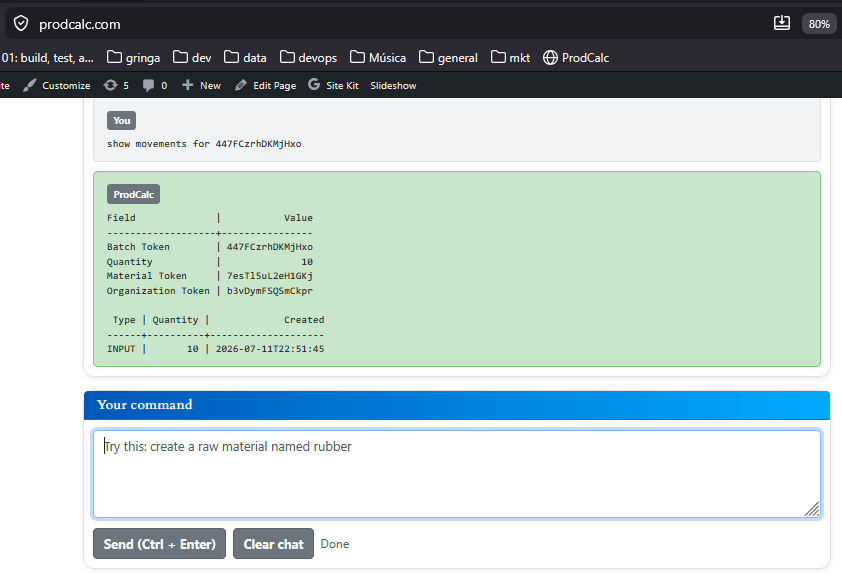
When processed, the movement is recorded automatically against that batch.
Input Forecast Reception
Expected supplier deliveries can also generate inventory movements.
Example:
Purchase Order:
- 1,000 kg Aluminum
When the reception is confirmed, ProdCalc records:
- Batch AL240711
- Quantity: +1,000 kg
No manual inventory adjustment is necessary.
Complete Visibility
Instead of showing only a stock balance, ProdCalc lets manufacturers answer questions like:
- Which production order created this finished product?
- Which movements changed this inventory?
- How much remains in each batch?
This level of traceability makes inventory auditing, production planning, and quality investigations significantly easier.
Whether inventory changes originate from production, purchasing, shipping, or manual adjustments, every movement is connected to a specific batch, giving manufacturers a complete and reliable inventory history.
Try It Yourself
The easiest way to understand how ProdCalc manages inventory is to try it.
Simply create a free account and ask the AI to perform a few operations.
For example:
- “Create a material called Steel Sheet 2mm.”
- “Receive 500 kg of Steel Sheet 2mm in batch ST240711.”
- “Show me the inventory of Steel Sheet 2mm.”
- “Finish a production order for 100 Bicycle Frames.”
- “Show the movements of batch ST240711.”
In just a few minutes, you’ll see how materials, batches, and inventory movements work together to provide complete traceability.