
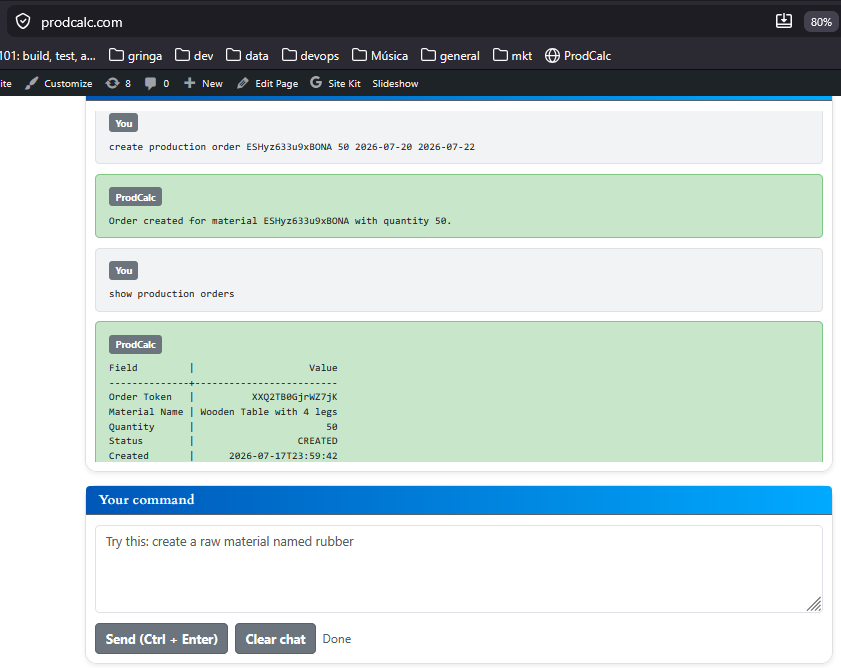
Here’s a WordPress page following the same style as your Material, BOM, Input Forecast, and Output Forecast pages.
A Production Order tells your factory to manufacture a specific quantity of a material.
Instead of simply increasing inventory, a Production Order reserves the required components, tracks the manufacturing process, and creates a fully traceable batch when production is finished.
Production Orders are the bridge between planning and actual manufacturing.
What is a Production Order?
A Production Order represents the instruction to manufacture a material.
It answers questions such as:
- What should be produced?
- How much should be produced?
- When should production start?
- What materials will be consumed?
Unlike a Bill of Materials, which only defines the recipe, a Production Order executes that recipe.
Which materials can have Production Orders?
Production Orders are used for materials that are manufactured by your company.
That includes:
- Fractionated materials, where one material is divided into smaller products.
- Assembled materials, where several components are combined into a finished product.
Pure raw materials purchased from suppliers normally do not require Production Orders.
Examples
Fractionated
- Steel Coil → Steel Sheets
- Cheese Wheel → Cheese Portions
- Fabric Roll → Fabric Pieces
Production Order States
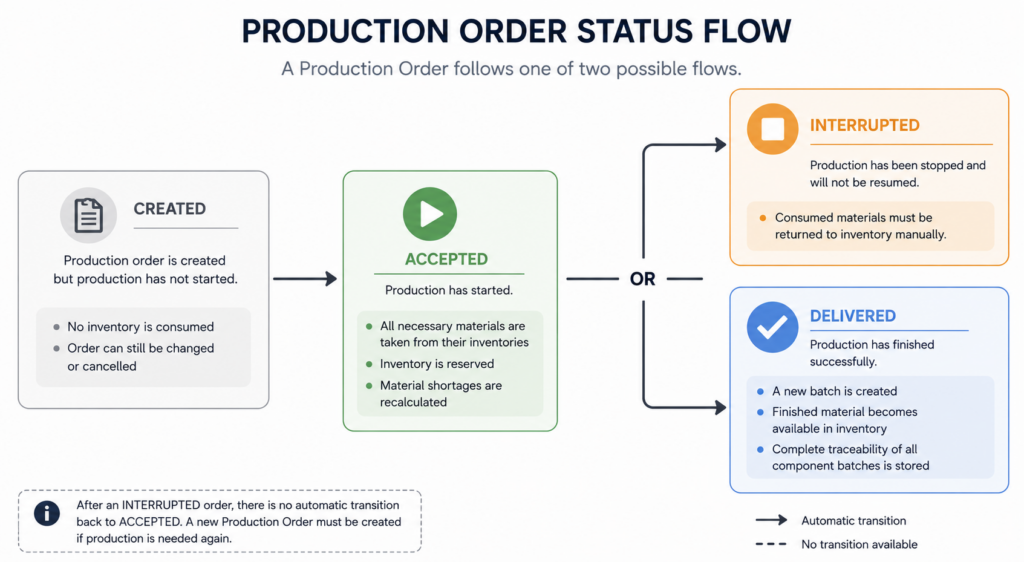
A Production Order moves through four states during its lifecycle.
Created
The Production Order has been created but production has not started.
At this point:
- no inventory is consumed
- production can still be changed or canceled
Accepted
Production has started.
When a Production Order is accepted:
- every required component is immediately removed from inventory
- inventory reflects that those materials are now being used in production
- shortages disappear because the required materials have already been reserved
Interrupted
Production has been temporarily stopped.
Typical reasons include:
- machine maintenance
- missing operators
- quality problems
- lack of electricity
- production scheduling changes
Production can later continue from this state.
Delivered
Manufacturing has finished successfully.
When delivered:
- a new inventory batch is created
- the finished material becomes available for sale or future production
- complete traceability information is stored
Inventory Consumption
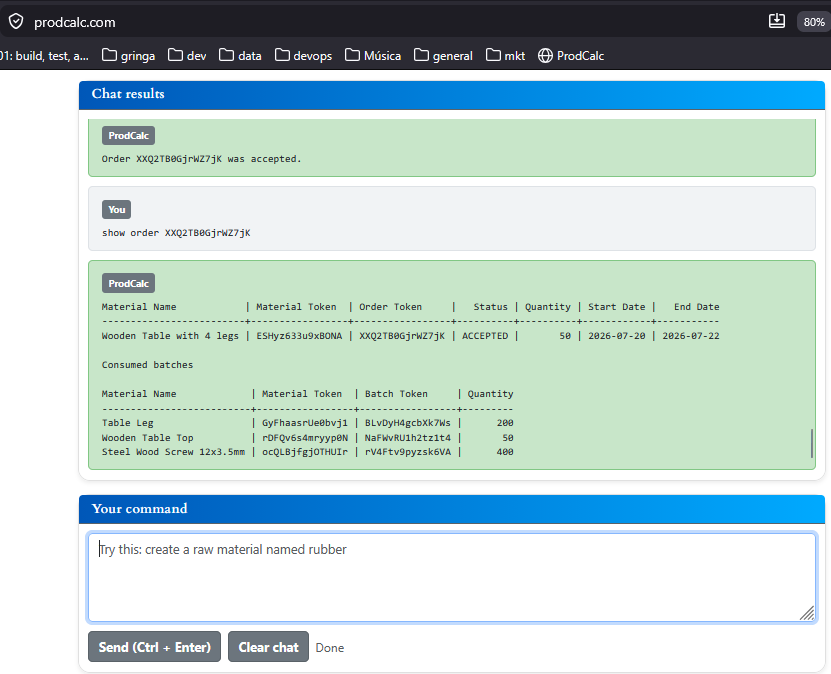
The moment a Production Order is Accepted, ProdCalc automatically consumes every required component defined in the Bill of Materials.
For example, suppose you produce 100 Wooden Chairs.
The Bill of Materials requires:
- 4 Wooden Legs
- 1 Seat Panel
- 1 Backrest
- 16 Screws
- 4 Rubber Feet
When the order is accepted, ProdCalc immediately removes:
- 400 Wooden Legs
- 100 Seat Panels
- 100 Backrests
- 1,600 Screws
- 400 Rubber Feet
from inventory.
This prevents the same inventory from being accidentally used by another Production Order.
Batch Creation
When production is completed, ProdCalc creates a brand-new batch for the finished material.
For example:
Material:
Wooden Chair

Batch:
WC-2026-001

Quantity:
100 units

Produced on:
July 15, 2026
This batch becomes available for future sales or additional manufacturing.
Complete Batch Traceability
Every produced batch remembers exactly which component batches were consumed.
For example:
Produced Batch

Wooden Chair
Batch WC-2026-001

Built from:

Leg Batch LG-105
Seat Batch ST-022
Backrest Batch BR-018
Screw Batch SC-331
Rubber Foot Batch RF-044
This allows complete manufacturing traceability.
If a supplier later reports a defective batch of screws, you can immediately identify every finished product that contains those screws.
Impact on Material Shortages
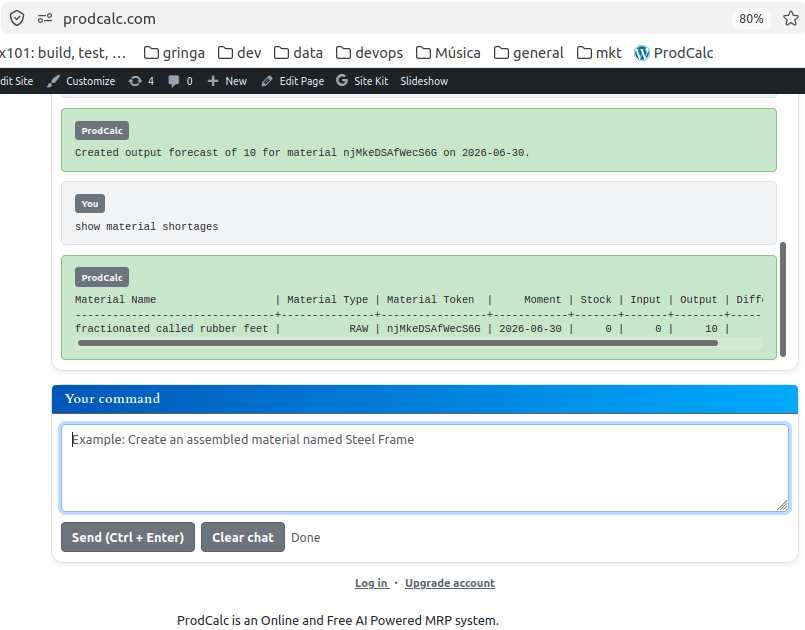
Production Orders directly affect the Material Shortages Report.
Before accepting a Production Order, ProdCalc checks whether enough inventory exists.
If components are missing, the Material Shortages Report indicates exactly what must be purchased or produced.
After the Production Order is accepted:
- required inventory is reserved
- shortages are recalculated
- available inventory is updated
This gives planners an accurate view of future production capacity.
Example
A furniture manufacturer receives an order for 100 Wooden Chairs.
The planner creates a Production Order.
The order progresses through these steps:
- Create a Production Order for 100 Wooden Chairs.
- Review the Material Shortages Report.
- Purchase any missing components.
- Accept the Production Order.
- ProdCalc consumes all required materials from inventory.
- Workers manufacture the chairs.
- Deliver the Production Order.
- ProdCalc creates Batch WC-2026-001.
- The new batch becomes available for sale with complete component traceability.
Try It Yourself
Open the ProdCalc AI and type:
Create an assembled material named Wooden Chair.
If you haven’t already, create its Bill of Materials:
Add 4 Wooden Legs, 1 Seat Panel, 1 Backrest, 16 Screws, and 4 Rubber Feet to the Wooden Chair BOM.
Then create a Production Order:
Create a Production Order for 100 Wooden Chairs.
Finally, accept and deliver it:
Accept the Production Order for 100 Wooden Chairs.
Deliver the Production Order for 100 Wooden Chairs.
ProdCalc will reserve all required materials, consume them from inventory, create a new finished batch, maintain complete traceability of every consumed component batch, and update the Material Shortages Report automatically.